
How to Set Up a WhatsApp Sales System for Shoe Stores

Set up a professional WhatsApp sales system for your shoe store. Optimize customer communication and sales through steps like catalog creation, quick replies, automated messages, and order tracking.
Your customers no longer only enter through your store doors; they also reach you through chat windows on their phones. Especially with a product like shoes, which is visual and personal, customers may want to ask questions, request additional photos, or verify sizes before making a purchase decision. This direct communication demand turns WhatsApp into an indispensable sales channel for shoe retailers. However, using this channel without a plan can cause confusion and sales losses. Structuring the process into a system for successful operation increases both customer satisfaction and operational efficiency.
Basic Setup and Creating a Professional Profile
The first step to selling via WhatsApp is establishing a professional infrastructure that offers more than a personal account. This foundation enables your customers to trust you and take your brand seriously. Creating a corporate identity using the right tools lays the groundwork for the entire sales process and facilitates the next steps.
Switching to WhatsApp Business Account
Instead of the standard WhatsApp, it is mandatory to use the WhatsApp Business app, specially designed for small businesses. This app is free and offers business-specific tools in addition to all features of the standard version. These tools include a business profile, product catalog, labels to segment customers, quick replies for frequently asked questions, and automated messages. This transition is the first and most important step in turning your sales process from a personal chat into a professional commercial operation.
Creating a Trustworthy Business Profile
Customers want to know who they are talking to. Your WhatsApp Business profile is your digital business card. Add your store's logo as the profile photo. Clearly specify in the description what kind of shoes your store sells (for example, "Women’s Casual and Sports Shoe Models"). Fill in complete details like address, working hours, and email. If you have a website or social media accounts, add the relevant links to allow customers to learn more about your brand. A complete and professional profile builds trust at the first contact.
How to Create and Manage an Effective Product Catalog
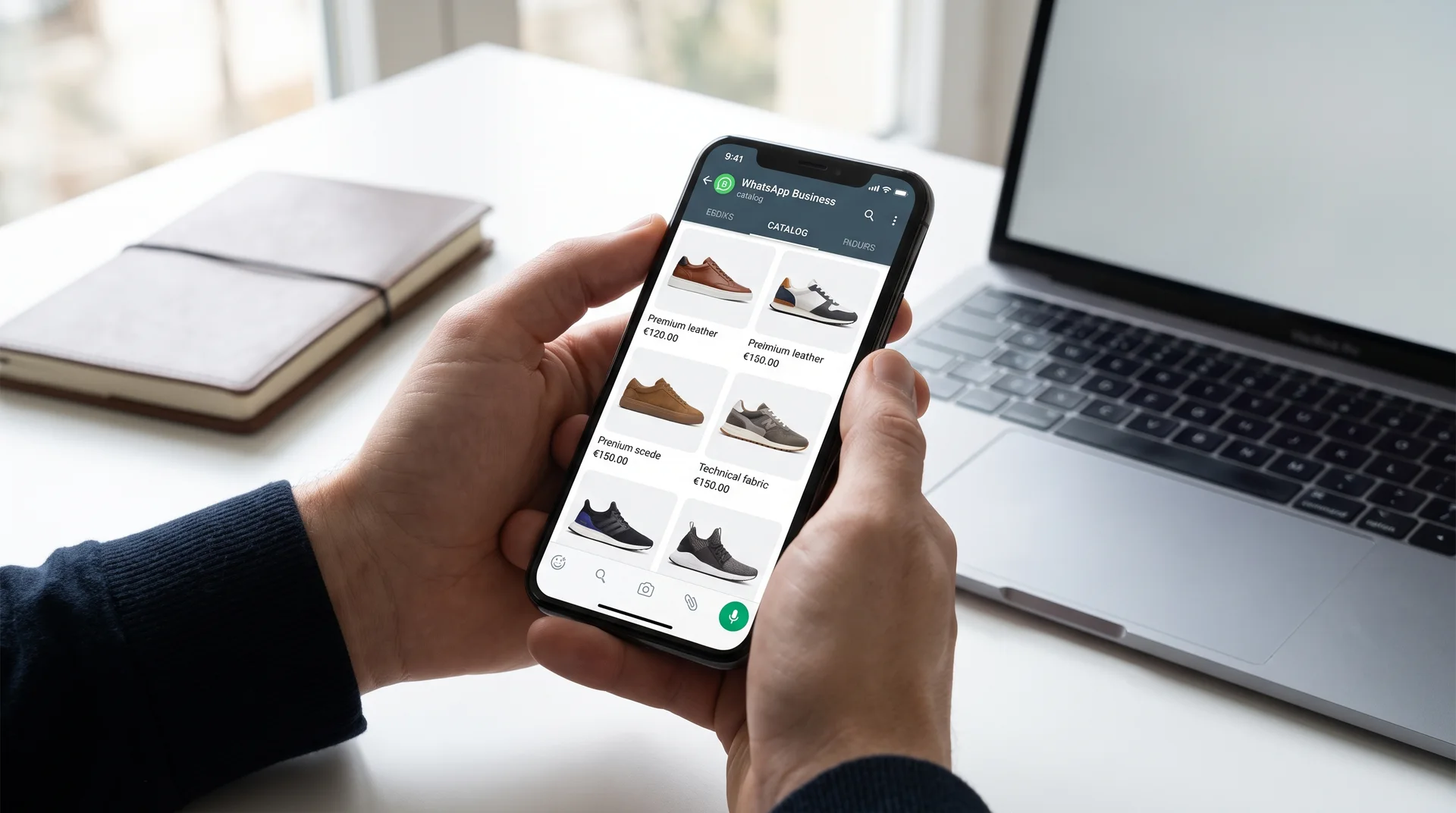
One of WhatsApp Business's most powerful features is the ability to create a product catalog within the app. This catalog serves as a digital storefront that allows your customers to easily browse your products. A successful catalog is not just about images; it also requires accurate information and regular management. This way, customers can review your models without needing to switch to another platform and can ask their questions directly to you.
Tips for Product Images and Descriptions
Visual quality is everything in footwear sales. Use high-resolution photos of your products taken from different angles. Adding shots that show the sole, interior, stitching details, and material of the shoe increases customer confidence. Similar to some products on Bulkoon that include product videos, content demonstrating model posture and details makes a difference. Assign each product a descriptive name (for example, "Black Leather Women’s Loafer") and a unique product code. Be sure to include essential information such as price, material details (leather, suede, textile, etc.), and available size ranges. Clear and precise information reduces unnecessary Q&A traffic.
Catalog Management and Stock Updates
Keeping your catalog live is critical for your sales performance. Group products under collections such as "New Arrivals," "Seasonal Discounts," or "Best Sellers" to help customers find what they are looking for more easily. Temporarily hiding products that are out of stock from the catalog or marking them as "Sold Out" prevents disappointment. When making wholesale purchases, directing yourself to products with only ready stock on platforms like Bulkoon helps keep your catalog always up to date. Ensuring a product you show the customer is in stock is the foundation of a professional sales process.
Automating and Speeding Up Customer Communication
As a business grows, it becomes difficult to respond personally and instantly to every incoming message. WhatsApp Business’s automation tools step in here, saving you time and providing instant responses to customers, thus projecting a professional image. These tools automate repetitive tasks rather than depersonalize communication, allowing you to dedicate your valuable time to more complex customer issues.
Saving Time with Quick Reply Templates
Customers often ask similar questions: "Do you have this model in size 42?", "How much is the shipping fee?", "Is cash on delivery available?", "What are the return policies?" Instead of typing the same response every time, you can create "Quick Replies" for these questions. For example, typing "/shipping" can automatically send a standard message detailing your shipping policies. These templates reduce response time to seconds and ensure consistent information flow.
Setting Welcome and "Away" Messages
When a customer messages you for the first time, greeting them with a professional "Welcome Message" leaves a good first impression. You can mention your business name and inform them how long it usually takes to respond. Likewise, setting an "Away Message" for messages received outside working hours ensures the customer knows their message has been received and when to expect a reply. These simple automations help manage customer expectations accurately.
Optimizing Order Intake and Tracking Processes
Managing order requests coming through WhatsApp is the most critical stage of the process. Missing or scattered information can lead to serious issues such as wrong product shipments, delays, and customer dissatisfaction. Therefore, standardizing order intake, payment, and shipping processes is vital for operational efficiency. A well-structured system reduces your workload and builds trust with the customer.
Standardizing Order Information
You should clearly request the information you need from the customer when taking orders. You can create a simple text template for this purpose and ask the customer to fill it out and send it to you. The template should include:
Product Code/Name: Encourage use of the catalog code to prevent confusion.
Size and Color: Shoe size, along with color option if available.
Recipient's Full Name: Necessary for the invoice and shipping.
Delivery Address: Should be clear and complete.
Phone Number: Important for the shipping company to contact.
This standardized form ensures the same data is obtained for all orders and minimizes errors.
Sharing Payment and Shipping Information
At the payment stage, offer your customers secure and clear options. Prepare a quick reply template including your IBAN information for bank transfer/EFT payments. If you use secure payment links (such as PayTR, iyzico, etc.), sending these links is more professional. After receiving payment, always send a confirmation message to the customer. When the order is shipped, send an informative message including the shipping company’s name and tracking number. This proactive communication prevents customers from repeatedly asking, "Where is my shipment?" and increases their confidence in the process. For example, Bulkoon’s fast and free shipping service to all 81 provinces in Turkey is a good reference for customer expectations in the industry.
Advanced Tactics and Customer Relationship Management
After the basic setup and order workflow are established, you can use WhatsApp as a customer relationship management (CRM) tool to further increase your sales and customer loyalty. This transforms WhatsApp from a reactive communication channel into a platform where you can perform proactive marketing and customer segmentation. These advanced tactics help you stand out from your competitors.
Segmenting Customers with Labels
The "Labels" feature of WhatsApp Business is a powerful tool to organize your chats. You can label each customer chat according to its status. For example:
New Customer: Those ordering for the first time.
VIP Customer: Regular customers with high-volume purchases.
Waiting for Size: Customers waiting for a specific size to be restocked.
Order Completed: Customers whose process is finalized.
Return/Exchange: Cases requiring support.
This segmentation makes it easier to arrange special campaigns for specific customer groups or send stock updates only to relevant people. For example, when new season women’s sports shoe models arrive, you can notify customers who previously purchased from this category.
Announcing Special Campaigns via Broadcast Lists
Broadcast Lists allow you to send a message to multiple people simultaneously, but in individual chat windows. Unlike group chats, this gives a personal communication feel. You can use this feature, with your customers’ permission, to announce new men’s sports shoe collections, special discounts, or promotions. However, it’s important to use this feature carefully: segment your lists well and avoid excessive sending to prevent being perceived as spam. A campaign message sent to the right customers at the right time can directly convert into sales.
Making Your WhatsApp Sales Channel Sustainable
Selling through WhatsApp can be a highly profitable channel for shoe stores when properly planned. However, the key to success lies in seeing this channel not as a temporary fix but as part of the overall business strategy. A professional profile, an up-to-date catalog, efficient communication processes, and proactive customer management are the cornerstones of this system. Remember that the success of this channel is directly linked to the quality and variety of the products you offer. High-quality products sourced from a reliable supply network support the trustworthy communication you establish on WhatsApp. By setting up this system, you can build a direct and sincere connection with your customers, cultivate a loyal audience, and steadily increase your sales.